

Across industry sectors, AI experience and skills in the workplace are moving from desirable to essential. Demand for AI skills surged by 77% in just 12 months, and this growth is no longer limited to developers and data scientists. Employers across marketing, finance, administration and content creation are looking for professionals who can apply AI tools practically in their day-to-day work.
You don’t need to become a technical expert to stay relevant in an AI-shaped workplace. This article will help you to understand which AI tools are useful and how to use them with good judgment
What AI skills are employers looking for?
Being AI-ready does not mean knowing how to code or build models. Employers across industries are far more interested in a cluster of practical, human-centred capabilities that sit alongside AI fluency. Understanding what they value helps you focus your energy in the right places.
Prompt engineering and practical AI use. The ability to give AI clear, well-structured instructions is increasingly recognised as a distinct professional skill. Employers describe it as context design - knowing how to frame a question or task so that the AI output is useful, accurate and relevant to the work you are doing. This is not difficult to learn, and skills improve quickly with time and practice.
Human skills are the differentiator. As AI takes on more routine tasks, the skills that remain firmly human are becoming more valuable, not less. Sound ethical judgment, adaptability, emotional intelligence, and the ability to solve real business problems with incomplete information are soft skills that are becoming more important to employers. AI can draft the email, but it lacks intuition and therefore cannot read the room.
Responsible AI use and AI ethics. Employers are increasingly looking for professionals who understand the limits of AI, take the time and effort to spot errors or hallucinations in AI-generated outputs and apply common sense before acting on the results. This kind of critical thinking is now an essential workplace skill.
Learning agility. The ability to learn, unlearn, and learn again is the most future-proof capability of all. AI tools evolve faster than any training programme can track, which means the professionals who excel are those who treat learning as a habit rather than an event. Employers are actively looking for people who stay curious, accept change quickly, and do not wait to be told what the next task is.
How to upskill in AI and stay ahead in the job market
You do not need a formal course or company-sponsored programme to start building meaningful AI skills in the workplace. The most effective learning happens through consistent, hands-on use and the application of tools to real tasks in your actual working environment. And if you are not working, using AI to build practical games, applications and tools to better develop your AI prowess.
Here is where to start:
- Identify where AI already touches your work. Whether it is a scheduling tool, a writing assistant, a data analysis platform or an automated reporting system, AI is likely already present in your working environment. Start by noticing it, understanding what it does and exploring whether you are using it to its full potential.
- Practice prompt engineering. Next time you use an AI tool, take a few extra minutes to think about how you frame your request. Be specific about context, format and outcome. Compare results when you are vague versus when you are precise. That deliberate practice is how prompt engineering becomes second nature.
- Apply critical thinking to every AI output. Before you use anything an AI tool produces, ask: Does this make sense? Is it accurate? Does it reflect my organisation's voice and values? Building the habit of verification is what separates AI-fluent professionals from those who create risk within a business without realising it.
- Stay curious rather than comprehensive. The goal is not to know every tool. It is to stay engaged, keep experimenting and approach new developments with openness. That learning agility, applied consistently, is one of the most valued professional traits in 2026.
Practical AI tools to explore for everyday tasks at work
Many of the most useful AI tools are free or low-cost, and the learning curve is much gentler than most people expect. Here are some applications worth exploring, organised by the kind of work they support:
Writing, editing and communication.
ChatGPT, Claude and Google Gemini are the three most widely used AI assistants for professional work. All three handle drafting emails and reports, summarising documents, brainstorming and answering complex questions, each with slightly different strengths, so it is worth trying more than one to find the right fit for how you work. Grammarly complements these well, helping you refine tone and improve clarity in your final writing.
Research and information gathering.
Perplexity AI functions as an AI-powered search engine that provides sourced, conversational answers rather than a list of links. It is useful for quickly getting up to speed on an industry, a company or a topic before a meeting or interview. NotebookLM by Google takes a different approach: you upload your own documents, reports or PDFs and ask questions directly from those sources. Unlike general search tools, it only draws from what you give it, making it highly reliable for research, meeting preparation and document analysis.
Presentations and visual content.
Canva AI has integrated AI tools that help non-designers create professional-looking presentations, social media content and reports. If your work involves PowerPoint, Microsoft Copilot can generate slide structures, suggest layouts and summarise content directly within the application.
AI image and video creation.
If your role involves content creation, marketing or design, these tools are worth knowing about. DALL-E by OpenAI generates images from text descriptions and integrates with ChatGPT. Midjourney is widely used for artistic, high-quality image generation. Nano Banana is Google's image generation tool, built into Gemini and particularly strong at realistic, consistent visuals. Google Veo is Google's AI video generation model, capable of producing cinematic-quality short clips from text prompts. Runway is a leading AI video editing and generation platform used by content creators and marketers for professional-grade video output.
Transcription and meeting notes.
Otter.ai or Google Gemini automatically transcribes meetings and generates summaries, which is particularly useful for remote and hybrid teams managing multiple calls.
Pick the one most relevant to a task you do regularly, spend a week exploring it and notice what changes. That hands-on familiarity is what builds real confidence with AI skills in the workplace, and it is the kind of experience that is increasingly visible and valued by employers.
How to future-proof your career with AI skills
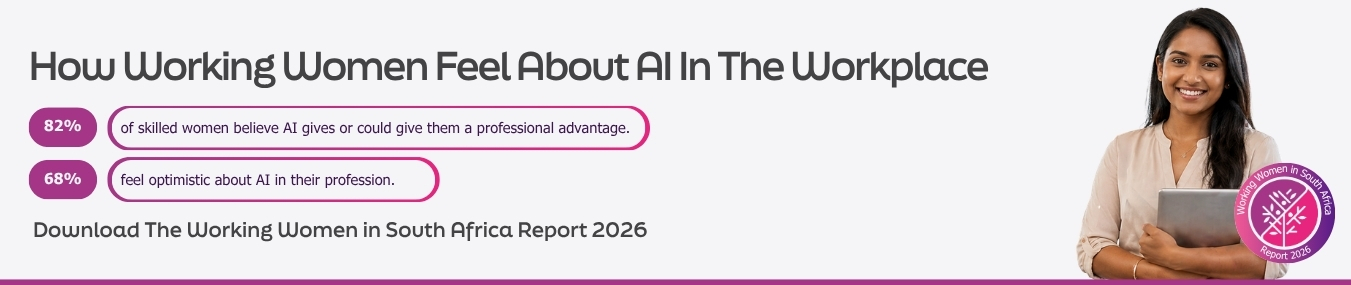
According to an article from Harvard Business School, AI is more likely to augment professional roles than replace them entirely, and those who engage with it early tend to be better positioned for whatever comes next.
Embracing AI in the workplace, staying current with how it is evolving and building proficiency in the tools relevant to your role are no longer optional extras in a career plan.
Professionals who commit to this kind of continuous, applied learning are the ones who grow in influence, earn more, and find themselves consistently ahead of the curve rather than just catching up.
Do you want to use your AI skills as a Virtual Worker? Sign up to RecruitMyMom to be a Virtual Marketing or Personal or Property Assistant and use your AI skills to supercharge our client’s businesses.

